
Smart thermostats shine when schedules, remote adjusts, and learning features match how you live. They are not magic efficiency stickers.
I’m Steven. I like useful gadgets and I dislike guilt-based upgrades. Here’s an honest homeowner take on when a smart thermostat pays off — and when a simple programmable already does the job.
Worth it when
- You forget to set back temperatures manually
- You travel or have irregular hours and want remote control
- Your system is compatible (including C-wire or adapter reality)
- You’ll actually look at the runtime reports and change habits
- You want sensors or room prioritization you’ll use, not just admire
Maybe skip (for now) when
- A basic programmable already runs a schedule you follow
- Compatibility is messy (some older heat pumps / dual fuel setups)
- You’re mid-equipment replacement — coordinate with the installer
- You hate apps and will never open this one
- The house needs filters, sealing, or repairs more than it needs Wi‑Fi
What does and doesn’t change
A smart thermostat won’t fix a failing capacitor, undersized ducts, or a clogged filter. It can help you stop conditioning an empty house, catch odd runtime patterns, and adjust before you get home. Pair any upgrade with the boring maintenance list: filters, outdoor clearance, condensate awareness, and realistic setpoints.
The C-wire conversation belongs up front
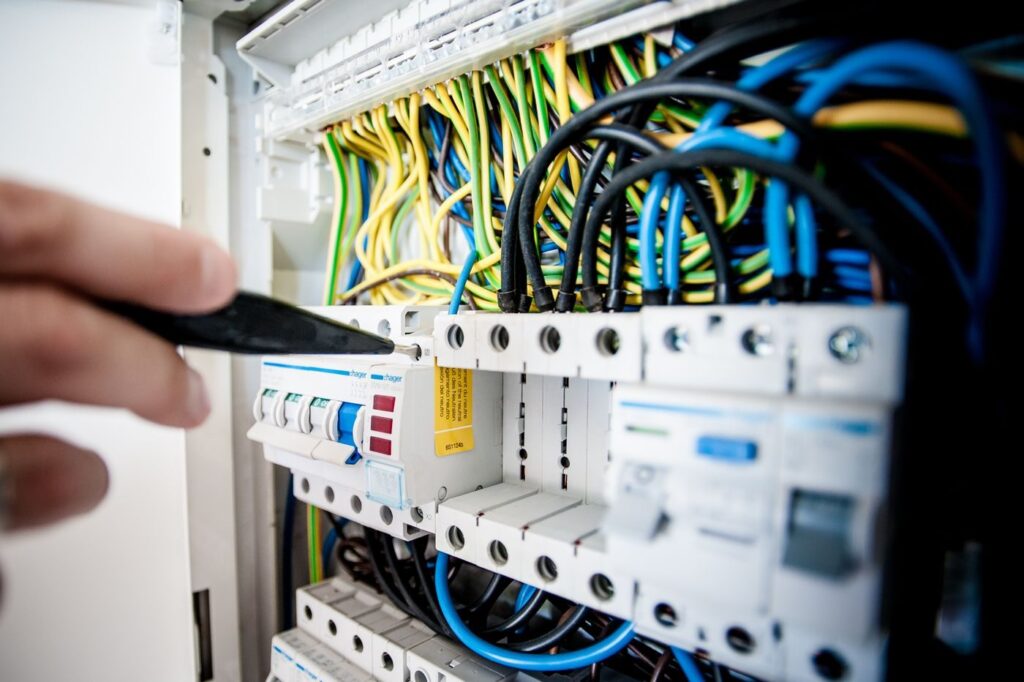
Don’t fall in love with a glossy display and discover wiring drama on the living room floor. Pull the thermostat face (power off), photograph terminals, and check for C. Read The C-Wire Explained in Plain English before you buy. Compatibility checkers exist for a reason — use them with your system type, not your neighbor’s success story.
Savings: honest expectations
If you already run a disciplined schedule, incremental savings may be modest. If you currently leave the house at 72°F all day every day, remote setbacks and automation can matter more. Use the smart-thermostat savings estimator to think in tradeoffs. Comfort still includes humidity and recovery time — see realistic thermostat schedule guide.
Manufacturer savings claims assume certain behaviors. Your life is the real variable.
Features that earn their keep
Remote adjust when plans change. Clear vacation modes you remember to cancel. Runtime graphs that reveal a filter you forgot. Voice control if you already live in that ecosystem — optional, not required. Geofencing when household phones behave; frustrating when they don’t.
Learning algorithms help some households and confuse others who override constantly. If you want manual control, buy a smart thermostat you’ll operate manually — that’s still valid.
Installation boundaries
Many homeowners can swap a like-for-like thermostat carefully. Heat pumps, multi-stage equipment, dual fuel, and zoning raise the stakes. If labels are unclear, hire it out. A damaged control board erases any rebate math quickly. After install, run the thermostat mode mistakes guide so you aren’t in Emergency Heat by accident.
Privacy and network notes
Smart thermostats live on your Wi‑Fi. Use a solid password, keep firmware updated, and decide whether you care about cloud features versus local control. I’m not anti-connected devices — I’m pro “know what you joined.” If the app is offline but the wall unit still runs, that’s annoying, not automatically an HVAC emergency (dead thermostat batteries checklist).
When a simple programmable is the grown-up choice
If your schedule is stable, your wiring is awkward, and you’d rather spend money on sealing attic bypasses or fixing a condenser clearance disaster, do that first. A $40 programmable that you actually set beats a smart thermostat you leave in Hold forever.
Rebates, utility programs, and fine print
Sometimes a utility rebate sweetens a smart thermostat purchase. Read the eligibility rules — equipment type, professional install requirements, and which models qualify. A rebate doesn’t make an incompatible system compatible. If the program requires an installer, that’s a feature when your wiring is messy.
Household politics
One partner loves remote tweaks; the other hates surprises. Agree on a base schedule before enabling aggressive learning or geofencing. Shared homes need shared rules or the thermostat becomes a proxy argument. Put the agreed sleep and away anchors in writing — even a note on the fridge.
After you install: the first-week test
Run Cool or Heat through a normal day. Confirm stages behave. Check that Fan Auto feels right. Look at runtime once. Verify the app and wall unit agree on mode. If something feels off, revisit wiring and modes before you assume the equipment failed. Keep the old thermostat for a week if you’re unsure — labeled, with the photo of original wiring.
Decision checklist
- Do I fail at manual setbacks today?
- Is my equipment compatible without heroics?
- Will I use remote access or sensors monthly?
- Have I fixed filters and obvious airflow issues first?
- Am I coordinating with a pending system replacement?
Three or more solid yes answers and a smart thermostat is easier to justify. Mostly no — keep your money for maintenance and envelope wins listed in habits that cut HVAC waste.
Comparing against “doing nothing”
The fair baseline isn’t a fantasy perfect human who adjusts setpoints thrice daily. It’s what you actually do now. If that’s “leave it alone forever,” automation has a clearer job. If that’s already a solid programmable schedule, buy upgrades elsewhere first — sealing, shade, maintenance.
Also compare total cost: thermostat, adapter, possible pro install, and your time. A free schedule improvement on the device you own is still an optimization.
What I’d spend on first if the budget is tight
If the choice is “smart thermostat this month” versus “filters, outdoor clearance, and a real tune-up for a tired system,” I usually point neighbors at the boring maintenance first. Connected controls amplify good habits; they don’t replace missing airflow or a failing capacitor. Once the basics are solid, a smart thermostat that matches your wiring and your willingness to use the app becomes an easier yes.
When to call a pro
Call for install help when wiring is unclear, when the system is multi-stage or dual fuel, when a float switch or zoning panel is involved, or when a DIY attempt already produced odd behavior. Call for equipment issues the thermostat merely revealed — ice, water, breakers, no cool air after basics.
More on controls: smart thermostat and control guides. Energy context: Energy and Seasonal Care hub.
Worth it means worth it for your habits and your hardware — not for a commercial’s soundtrack.