
Smart thermostats are hungry little computers. Many need a continuous power path — that’s the C-wire (common).
I’m Steven. I explain this the way I wish someone had explained it before I stared into a spaghetti of colored conductors behind a wall plate. You don’t need to become an electrician. You do need a plain-English picture of what the C-wire does, how to look for one safely, and when to stop and call for help.
What the C-wire actually is
Older battery thermostats often got by stealing tiny bits of power through the call wires. That trick worked for simple displays. Always-on Wi‑Fi screens, bright backlights, and radios usually want a dedicated common conductor back to the furnace or air handler control board. That conductor is the C terminal — the return path that lets the thermostat take power from the system’s transformer without pretending the call wires are a free lunch forever.
When people say a thermostat is “power stealing,” they mean it’s trying to sip energy in ways that can make some furnaces buzz, cycle oddly, or drop Wi‑Fi when the system is idle. A proper C-wire (or a compatible adapter designed for your equipment) is the cleaner solution on many systems.
What it is not
The C-wire is not magic efficiency. It doesn’t make cold air colder. It doesn’t replace a clean filter. It doesn’t fix a dead outdoor capacitor. It’s a power path for the control. Keep the romance proportional.
How to peek without heroics
- Turn off power to the furnace or air handler at the breaker or the red switch.
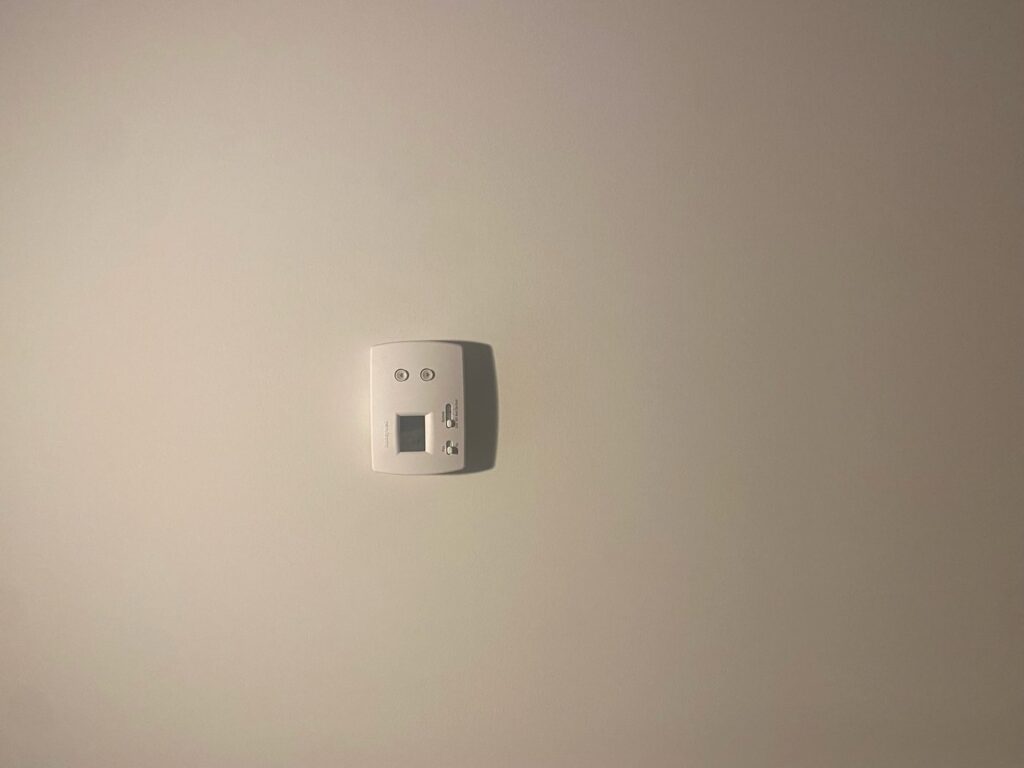
- Remove the thermostat face carefully.
- Photograph the wiring before you touch anything.
- Look for a wire on a terminal labeled C.
- Notice unused conductors tucked in the wall — a spare might be usable later, only if you know what you’re doing at both ends.
Reading the terminal soup
You’ll often see R (or Rc/Rh), W, Y, G, and sometimes O/B on heat pumps. C is the quiet one that newcomers miss because older thermostats never used it. If Rc and Rh are jumped, that’s normal on many single-transformer systems — photograph it; don’t assume you should pull the jumper because a generic diagram looked different.
Heat pumps and dual-fuel setups add twists. An O/B wire for the reversing valve is not optional trivia. When in doubt, match the photo to the new thermostat’s compatibility checker instead of improvising colors by folklore. Wire colors are conventions, not laws — terminal letters matter more than whether someone used blue for C in 1998.
If you don’t have a C-wire
Common paths forward:
- Run a new conductor from the control board to the thermostat location (best long-term on many homes, but it may mean opening walls or fishing through finished spaces).
- Use a manufacturer adapter kit designed for your furnace/air handler and thermostat combo.
- Choose a thermostat that works on your system without a C-wire — knowing the tradeoffs.
- Hire a pro for board-side connections if the mechanical closet wiring looks intimidating.
Read the compatibility checker for your equipment. “My neighbor’s Nest worked without C” is not a procedure. Transformers, intermittent power stealing issues, and stage configurations vary.
Smart thermostat shopping without the C-wire surprise
Before you buy, pull the face and take the photo. Check whether a C is present. Check your system type: conventional furnace/AC, heat pump, dual fuel, multiple zones. If you’re mid-equipment replacement, coordinate with the installer so the new control wiring matches the thermostat you actually want. More on whether smart controls are worth it: Is a Smart Thermostat Worth It?
Symptoms people blame on “the furnace” that are sometimes power-path issues
Random Wi‑Fi drops on the thermostat, displays that die when the system is idle, or faint hums at the air handler after a battery-to-smart upgrade can all show up in power-stealing situations. They’re not the only possible causes — bad Wi‑Fi and failing equipment exist too — but they’re why C-wire conversations keep happening on thermostat forums.
When to call a pro
- No clear C terminal at the board and you’re not comfortable tracing conductors
- Multiple transformers, zoning panels, or dual-fuel controls
- Brittle cloth wiring, scorched terminals, or a board you can’t identify
- Any point where the instructions require connecting at the furnace and you feel out of your depth
A miswired thermostat can cook a control board. The cost of a service visit is cheaper than a board plus a same-day comfort emergency.
Adapter kits without the fairy tale
Some brands sell add-a-wire or power extender kits that create a usable common path using existing conductors in clever ways. They can work well when the kit matches your equipment. They can also be the wrong tool for zoning panels, dual transformers, or unusual boards. Read the compatibility list. If the instructions require board-side jumper changes that don’t match what you see, stop and get help rather than forcing the last diagram on your phone.
After any adapter install, watch for new hums, dropped calls for heat/cool, or Wi‑Fi flakiness during the first week. Those are clues to revisit the setup — not to ignore until August.
Photograph both ends if you go further
The wall plate is only half the story. The furnace or air handler control board has matching terminals. If you ever fish a spare conductor, it has to land on C at the board too — a spare tucked behind the thermostat that goes nowhere is just copper decoration. Label both ends. Future you will not remember which blue wire was hope and which was C.
Aftercare once power is stable
Once the thermostat stays lit and Wi‑Fi holds through idle periods, you’re probably fine. Recheck after the first utility outage — clocks and cloud features may need a nudge. If the display dies only when the system is off, revisit power-stealing versus true C-wire paths before you blame the furnace every evening.
Related checks while you’re at the wall plate
If the display is blank, work the battery and power checklist before you invent a C-wire saga. If modes seem possessed, read mode mistakes that waste service calls. For schedules that match real life, see realistic thermostat schedules.
More control topics live on the thermostat wiring and control guides.
Plain English version: the C-wire is how many smart thermostats eat lunch. Look carefully, photograph everything, power down first, and stop early if the wall turns into a science fair.