
Blank thermostat? I check power before I invent a broken heat exchanger story.
I’m Steven. A dark display feels dramatic, especially in January or August, but a surprising number of “dead systems” are tired AA cells, a flipped emergency switch, or a breaker that tripped once and never got a second look. This checklist stays on the homeowner side of the line: power basics, safe observations, and clear stop signs.
What “dead” can mean
Blank screen. Dim screen that fades when the system calls. Flaky touch response. A smart thermostat that reboots constantly. An app that says offline while the wall unit looks fine — or the opposite. Separate “no display” from “display works but equipment doesn’t respond.” Those are different forks.
Checklist
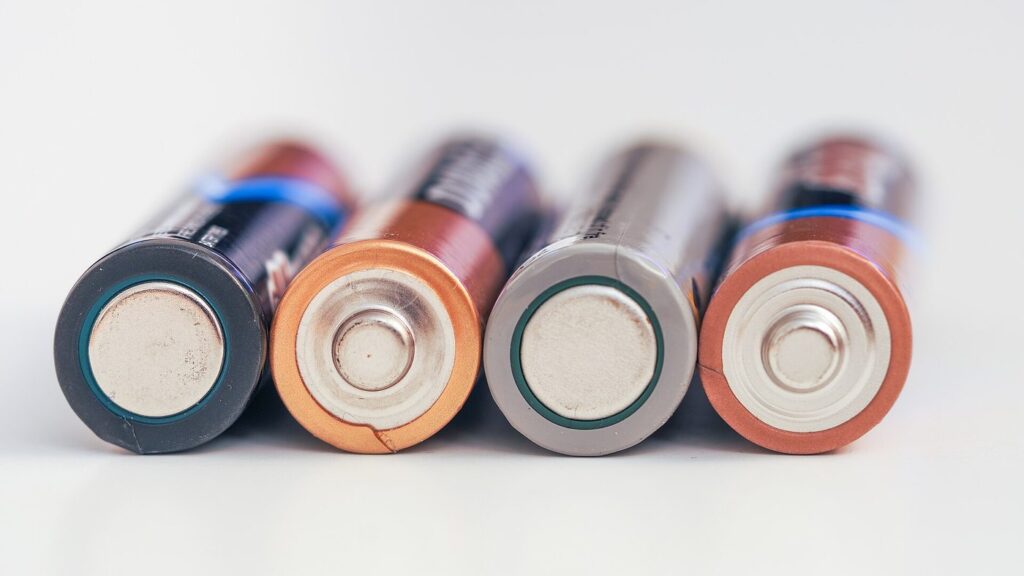
- Are there batteries? Replace with fresh name-brand cells — corroded contacts need gentle cleaning.
- Is the furnace/air handler switch on? The red emergency switch gets flipped by accident more than people admit.
- Has a breaker tripped? Reset once. If it trips again, call a pro.
- Is this a smart thermostat that lost Wi‑Fi only (device still heats/cools)? That’s an app problem, not necessarily an HVAC failure.
- Did a recent DIY leave a wire off the R or C terminal?
- Is a Vacation/Off mode hiding in the menus after you restored power?
Batteries: the unglamorous fix
Many non-smart or hybrid thermostats still lean on batteries even when R is present. Weak batteries create ghost problems: missing calls for heat, schedules that don’t stick, displays that vanish overnight. Replace both cells together. Don’t mix old and new. If you see crusty corrosion, gently clean contacts — don’t soak the electronics in cleaner.
Put a calendar reminder every heating season and every cooling season if your model is hungry. Batteries are cheaper than guessing.
The red switch and the breaker
Furnace closet switches look like light switches because they often are. Painters and curious kids flip them. After a basement project, verify that switch before you assume the board died. At the breaker panel, look for the air handler or furnace breaker and the outdoor AC breaker. A single reset is a homeowner move. A breaker that won’t stay on is a pro visit — repeated resets are how small faults become bigger ones.
Smart thermostats and common-wire power
If batteries aren’t the story, power path is. Many smart thermostats want a C-wire. A unit that worked on batteries and then got upgraded to Wi‑Fi can behave oddly without a proper common. Read the common-wire basics for dead stats before you rewire on optimism. Photograph terminals with power off.
When the thermostat powers up but nothing happens
Display alive, mode correct, setpoint calling for heat or cool, and silence from the equipment means you’ve left pure “battery” territory. Confirm Fan Auto vs On and cancel Holds — thermostat mode mistakes guide still apply. Then walk filter and outdoor basics if it’s a cooling complaint via the checklist for AC that will not cool.
If the thermostat never got power back after a battery change, reseat it firmly on the subbase. A unit hanging half-off the plate looks mysterious until you push it home.
Corrosion, loose subbases, and DIY aftermath
Thermostats near humid bathrooms or leaky exterior walls can corrode. Loose mounting screws make intermittent contact. After any DIY, compare your photo to the current landing of each conductor. A wire that “almost” sits under the R terminal is a classic blank-screen tale.
Wi‑Fi offline vs HVAC offline
If the wall unit still runs schedules and responds to local buttons, an offline app is annoying but not an emergency. Reboot the router, confirm the thermostat’s network settings, and check for a firmware prompt. Don’t replace a furnace because the phone can’t reach the living room gadget.
Flashlights and labeling
Keep a flashlight near the panel if your basement goes dark when breakers trip. Label the thermostat’s battery size on a piece of tape inside the door. Future-you at 11 p.m. will thank present-you for not guessing AAA vs AA in a junk drawer.
When to call a pro
- Breaker trips again after one reset
- Burning smell, scorched wires, or hot discoloration at the thermostat or air handler
- Thermostat powers up but equipment never responds after mode and wiring photos look correct
- You’re dealing with zoning panels, dual transformers, or unfamiliar control boards
- Water near the thermostat or low-voltage cable
Techs can test transformers, fuses on control boards, and low-voltage shorts. Those aren’t flashlight-and-hope jobs.
A calm order when the house is already uncomfortable
When it’s freezing or sweltering, people skip steps. Don’t. Batteries first if the model uses them. Then the red switch. Then the breaker once. Then look at the thermostat mode after it powers up. Only then dig into wiring photos and C-wire questions. Jumping straight to furnace conspiracy theories wastes the coldest hour of the night.
If other lights and outlets on related circuits are also dead, you may be looking at a wider electrical issue — that’s beyond thermostat trivia. Call appropriately.
Shared households and rentals
Label the battery type inside the thermostat door. Tell housemates where the emergency switch is so someone doesn’t “save energy” by flipping it. Renters: replace accessible batteries and report breakers that won’t stay on; don’t open furnace boards in a building mechanical room you don’t control.
After power returns
Smart thermostats may need a few minutes to reconnect. Re-check that Vacation mode didn’t resurrect itself. Confirm heat vs cool matches the season. If you use a schedule, make sure the clock is correct — wrong time after a long outage makes “ghost” behavior that isn’t equipment failure.
Thermostat location quirks
A thermostat in direct sun or over a supply register can lie about room temperature and make you think the system or batteries are failing. When the display is alive but comfort feels wrong, notice whether the wall control is in a dishonest microclimate. Move lamps and seasonal décor that bake the sensor before you replace equipment.
Prevention habits
Fresh batteries on a schedule. Know where the emergency switch is. Keep a photo of correct wiring on your phone. If you install a smart thermostat, settle the C-wire or adapter question on day one — not mid-heat-wave. For schedule sanity after power returns, see realistic thermostat schedule guide.
More controls help: thermostat power and control guides.
Blank screens love simple causes. Start with cells, switches, and breakers. Escalate when electricity misbehaves or the equipment ignores a living thermostat.